ServiceM8’s annual launch event was on Fri 18 Sep and as usual it brings lots of changes and improvements – from small tweaks to supersized potential.
ServiceM8 15
Overall the list of changes is actually quite long this year – with many being small changes that will require a small amount of adapting and before you know it, it’ll be the new normal. Other updates are notably bigger and will have more of an impact for many of our clients.
Of note, we’re excited to further explore updates to:
- The Dispatch Board, Schedule, and the new booking experience.
- Notifications, Notes/Threads/Mentions, plus Staff Chat & Channels for discussions that are not job-related. Finally!
- Knowledge & Toolbox Meeting Recordings & Transcripts.
- ServiceM8 Android App – which is almost a full rollout of the apple app.
We’re also covering off:
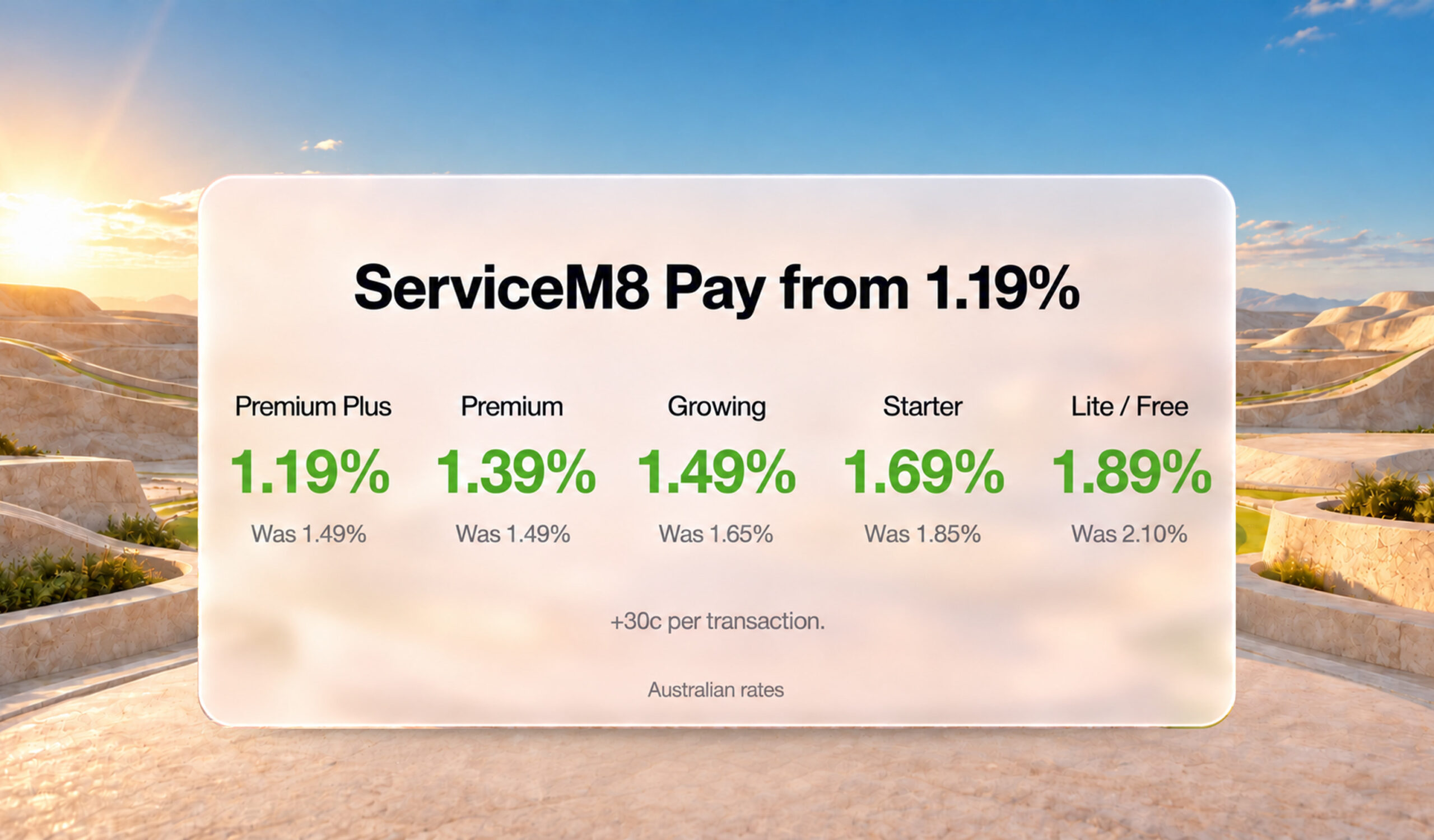
- Lower ServiceM8 Pay Fees and how to manage the new change where all of us lucky business owners have to suck up the fees – as of 1 October 2026… JUST 5 DAYS AWAY!
As expected, AI is a big focus – with their Office Agent further developed with a paid version rolling out, along with a new ability to hook up ServiceM8 to AI tools to DIY own business-specific Add-ons. The AI aspect is one that we’re looking to fast-track our support – beginning with managing business owner’s responsibilities in relation to data security and customer data confidentiality. Please before you turn on that sync with chat GPT/Claude/Codex – consider the data you have in your ServiceM8 account. The government has some helpful tips (like these top 5) plus we’re looking to provide some more guidance over the coming weeks around using PAID AI extensions only – never the free versions.
To activate ServiceM8 15 on your Desktop/Laptop you need to go to the September 2026 Update page, then scroll down to load the video and tap Activate ServiceM8 15 that loads underneath the image.
To update the App version on your iPad/iPhone, make sure your iOS is updated first, then – App Store > ServiceM8 > Update. (Note ALL devices need to have the App updated individually).
**There are sometimes issues for some staff whose device is on “Auto-Update”. If someone in your business has issues, and you’re not ready to update, deleting the ServiceM8 App and reinstalling has solved these issues. If you’re ready to update, they should resolve themselves.

#1 – Dispatch Board, and the new booking experience.
This update addresses some things that were more difficult than they needed to be, and others that were too simplistic to be properly functional. We have always loved the simplistic Staff Schedule on the Dispatch Board. This update maintains that feel, but adds a lot of new functionality.
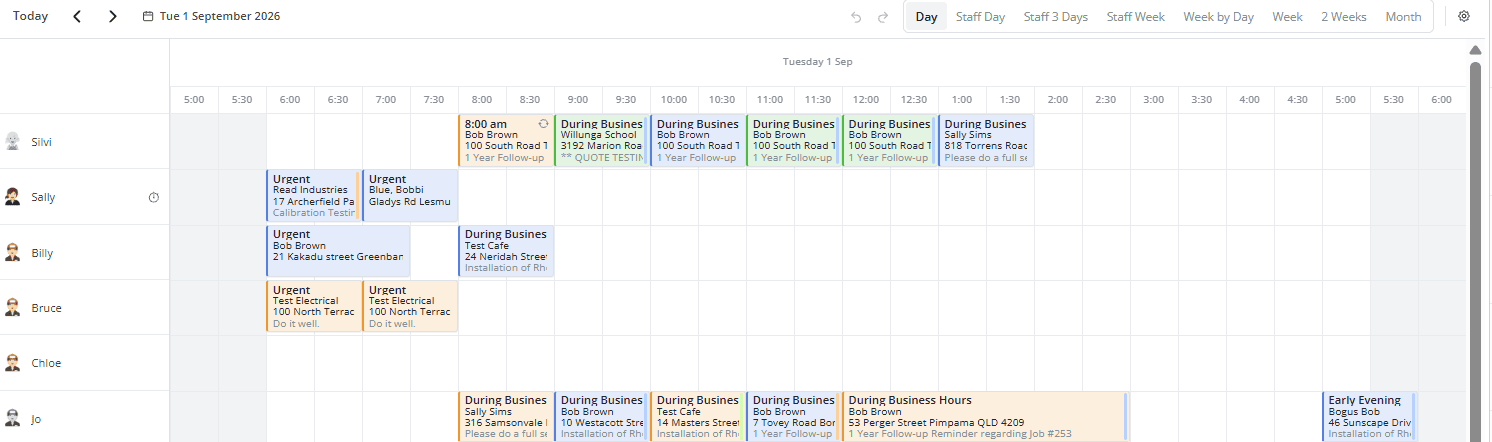
The Dispatch Board showing Job Details of “Customer Name”, “Full Address” and “1st line of Job Description”.
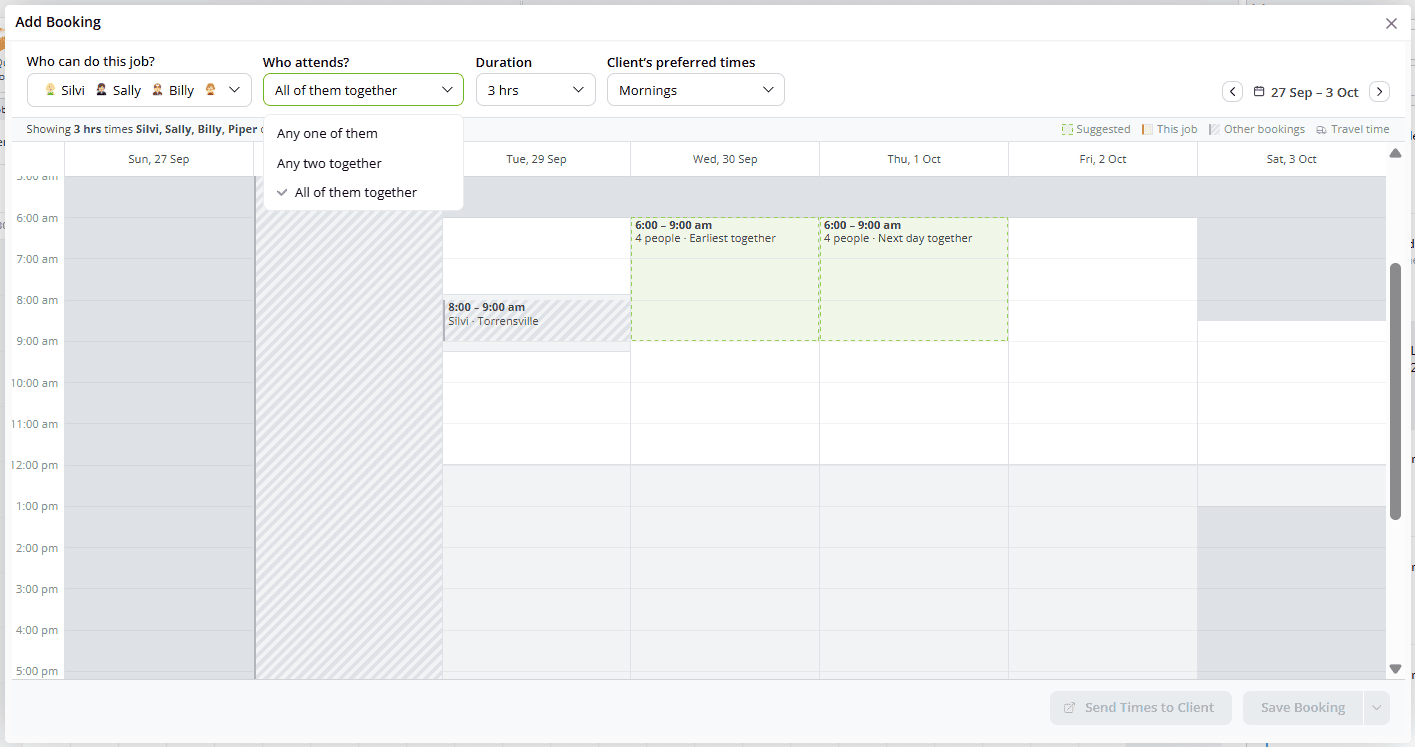
The new “Schedule” Window is unrecognisable!
The Good
- Select multiple staff, and whether it’s any, all or two of. Love it!
The Bad
- While it’s awesome that you can now see a full week, you can’t choose what day that week starts. Scheduling on a Friday is a bit of a challenge!
The Ugly
- To Send a Booking Confirmation Automation is a 2 click process. Click the arrow next to “Save Booking” for “Save & Send Booking Confirmation” to be revealed.
#2 – Notifications, Notes/Threads/Mentions, plus Team Chat & Channels for discussions that are not job-related.
Notifications was something that was barely functional. We didn’t very often point it out, because we didn’t want to have to explain that you can’t control them being marked as read, you couldn’t really tell what they were about and you had no control over what was there. Well, we still can’t control what is there, but the rest of it has been updated.
Notes & Mentions have a new friend “Threads”
Not only do you now have control over whether you’ve seen a “Mention”, but you can react (limited range of emoji’s for specific purposes) and even reply!
But wait, there’s more! What do you do if the conversation is NOT related to a specific Job? What if it isn’t even customer specific?
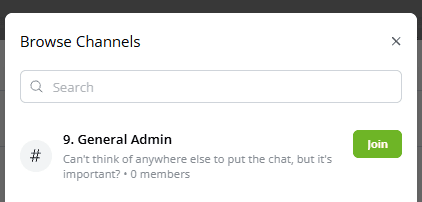
Let’s Chat!!
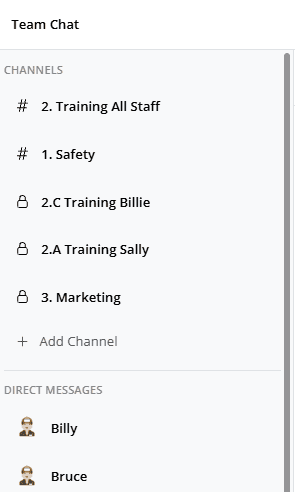
Team Chat is another function that we’re super excited about!
PRO TIP
Be consistent when naming channels, a simple number system can help find channels (and maybe in future updates, a sort function will become added).
#3 – Knowledge & Team Meetings.
Knowledge has been notably improved. There’s a neater and more functional editor interface which allows you to:
- Neatly layout the article including adding links, images and tables.
- Add photos & videos from job cards.
- Load and link data from your account – Forms, Materials, Clients and Job Templates.
- Organise articles, videos and PDFs into named sections.
The team can search Knowledge easily from any job to access the run through and guidance.
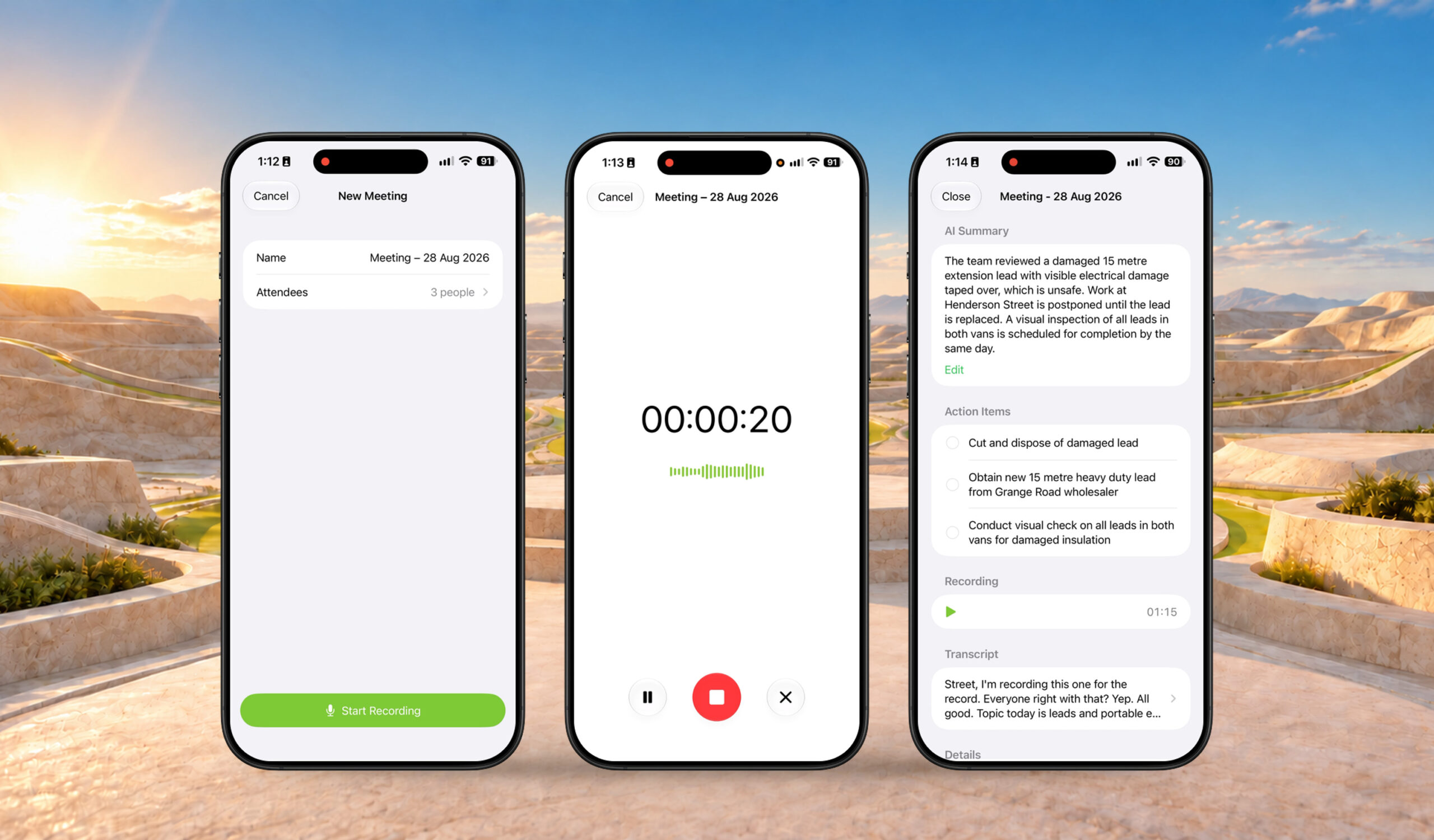
There’s also the ability to record Team Meetings – like Toolbox Talks. Superb! This gets stored immediately in Knowledge – Meeting Recordings and can be played back later or you can click to create the AI transcript which summarises the whole meeting into a few handy headers like Details, Summary, & Action Items.he able to move them out faster!!
#4 – ServiceM8 for Android.
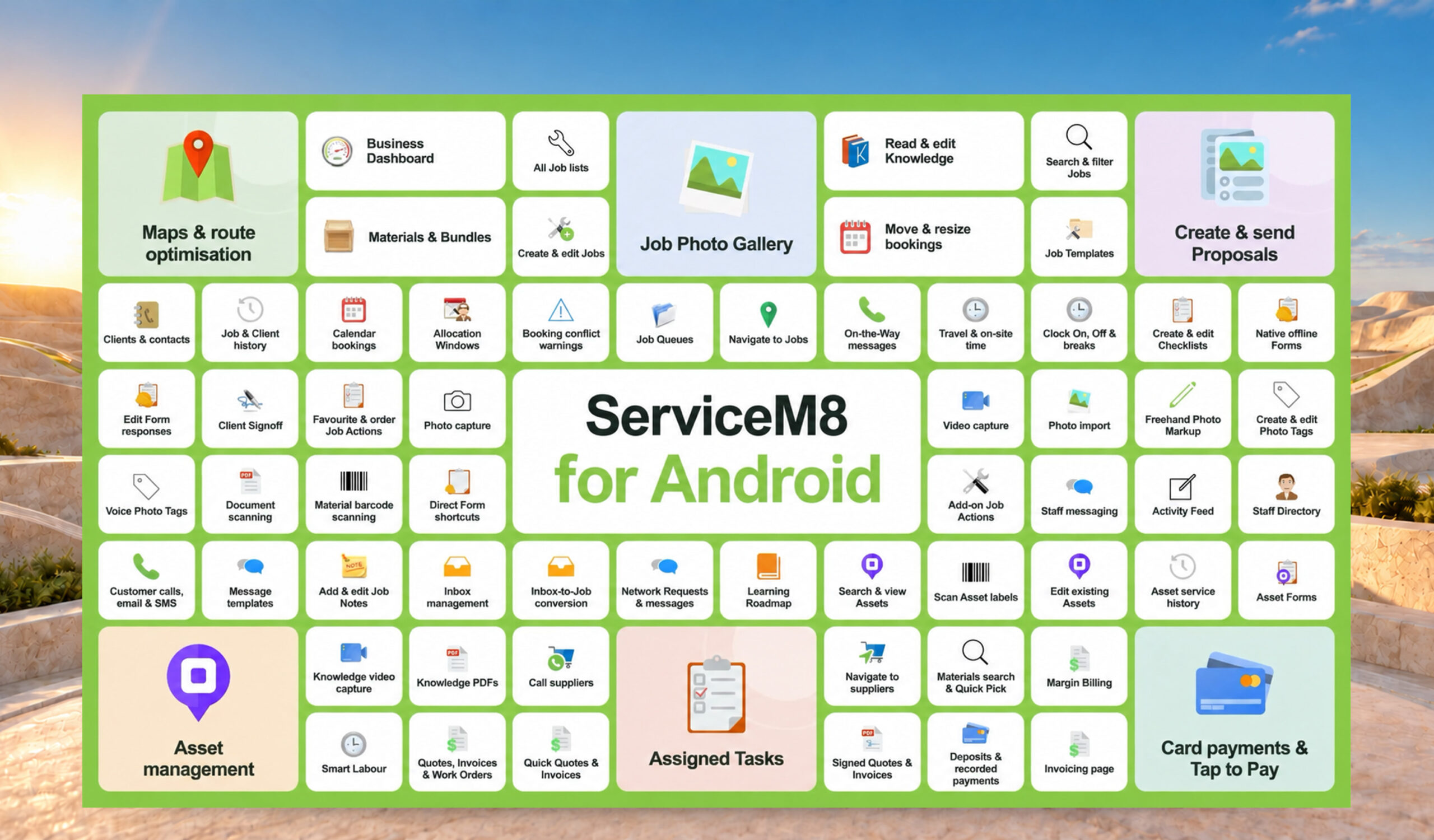
It’s finally here.
A true turning point in ServiceM8’s offering…
ServiceM8 for Android.
And it’s almost the same as the full-blown apple app.
For most of our current clients, this won’t be anything special. We know you’re almost all on apple and most of you love it.
However, the option now exists.
It’s a huge step up from ServiceM8 Lite, with just some points lacking from the apple app.
* Download ServiceM8 from Google Play.
Minimum requirements. To run the ServiceM8 Android app smoothly, your Android device must meet the following requirements:
– Operating system: Android 8.0 or higher
– Regular Updates: Keep both the app and your device’s operating system up to date for optimal performance.
#5 – Stop Charging ServiceM8 Pay Fees *1 Oct 2026 DEADLINE*.
ServiceM8 has just recently come out with some solutions to help manage this change. In short, the relevant aspects & considerations for you are as follows.
(1) Set a Maximum Value of Invoices paid via ServiceM8 Pay online link.
Do you want to limit the invoices that can be paid online to a maximum amount. If so, the options are
– Always / Up to $500 / $1,000 / $2,000 / $5,000 / $10,000 / Up to $25,000 / $50,000
Please note that this limitation is good in theory – but it does have a bit of a flaw. This setting activates on any Invoice PDF/link that is emailed/SMSd out of your ServiceM8 ONLY.
In ServiceM8’s own words:
“The card limit applies only to online invoice payments. It does not affect Deposits, Proposals, payments taken through the ServiceM8 app, Scan & Pay, Tap to Pay, or automatic payments. If PayTo is enabled and the payment is eligible for PayTo, it remains available when the amount owing is above the card limit.”
The ServiceM8 Pay processing fees have been reduced slightly. They are now 1.39% + 30c per transaction.
(2) Accept PayTo with ServiceM8 Pay.
PayTo gives your customers a lower-cost way to pay online invoices directly from their bank account. They enter their mobile number or bank details and approve the payment in their banking app.
The PayTo processing fee is 1% + 30c.
More: https://support.servicem8.com/help-center/servicem8-add-ons/servicem8-pay/how-to-use-payto-with-servicem8-pay-australia
(3) Quote/Invoice Updates.
Now that we have tested ServiceM8’s solution, we know that it cannot also remove the Credit Card payment link from quote/invoice PDFs.
So we’re recommending the following:
– Remove any reference to Credit Card fee payable.
– Add a line near the payment link such as “Invoices over $XX are payable by Direct Bank Transfer or PayTo only.” Or, you can say it in reverse if you like “Credit Card payments only available on invoices under $XX.”
Remember – this all needs to be in place for 1 October 2026!ptimal performance.