Recently, ServiceM8 held their annual launch event. Did you catch it?!?!
ServiceM8 14
This year, there is so much to unpack, that we decided to hold off sending our thoughts and opinions until after we had a chance to do some testing, and see how things progress. We’re keen to update you on the new changes to ServiceM8 and give you our first impressions.
We are guilty of saying it every year, but this year there are some totally game changing features, giving you more ways to better understand and streamline your business. We’re STOKED!!
There are some massive new features as well as some long overdue enhancements to oldies.
To activate these changes on your Desktop/Laptop you need to go into your ServiceM8 account > Settings and click on the green “Activate” button. You can also click on the “Learn More About ServiceM8 14” link.
There are some new features that need a couple of extra steps. Read on for more detail.
To update the App version on your iPad/iPhone, make sure your iOS is updated first, then – App Store > ServiceM8 > Update. (Note ALL devices need to have the App updated individually).
**There have been issues for some staff whose device is on “Auto-Update”. If someone in your business has issues, and you’re not ready to update, deleting the ServiceM8 App and reinstalling has solved these issues. If you’re ready to update, they should resolve themselves.

#1 – Timesheets and Staff Activity
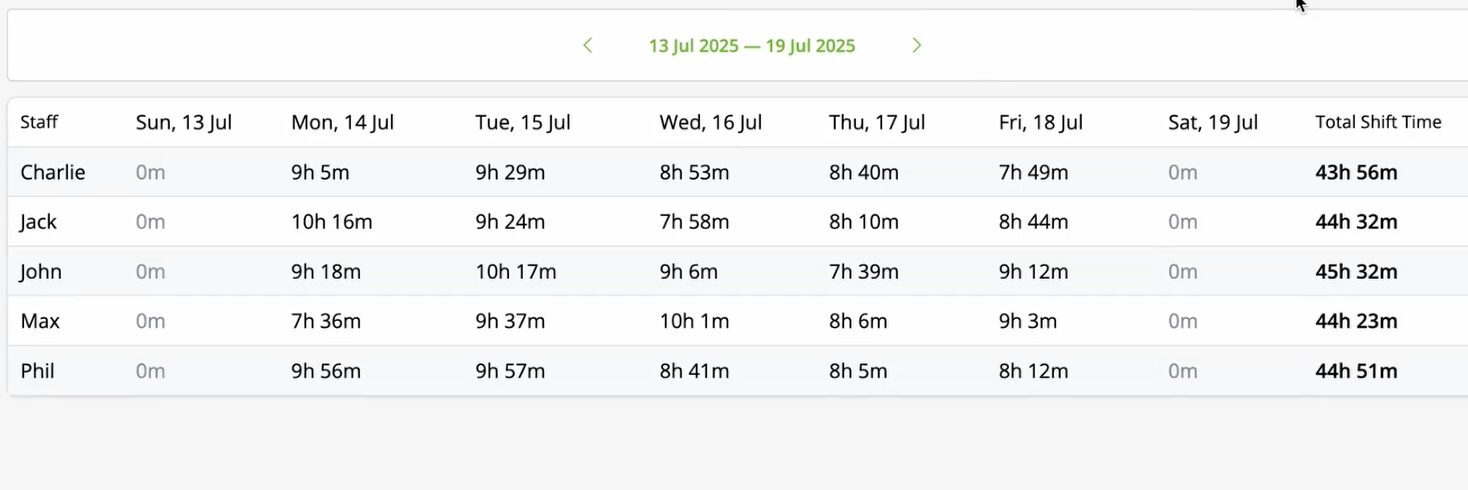
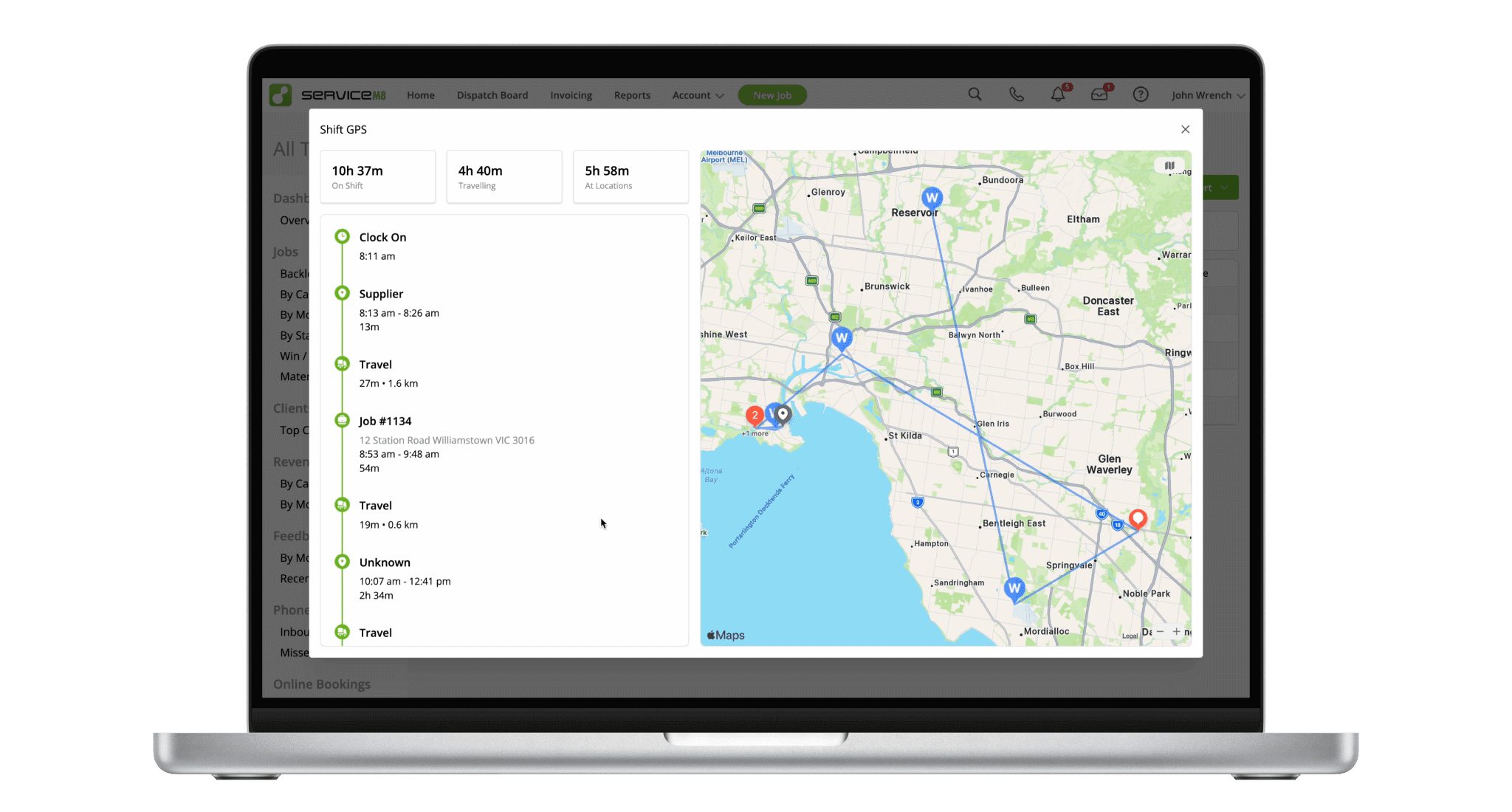
Combining “Enhanced Reports”, “Job Check Out Reports” and “Shift GPS Report” with giving (or not giving) Staff the ability to edit both Job Check In details and Shift Details, means the Timesheet information in ServiceM8 is accessible and functional.
Hover over a staff member’s shift, and you see a breakdown of their shift. Click on that digit and you get this…..
Holy moly, how cool is that!!!
#2 – Dispatch Board Improvements
You know how excited we got last year when you could see checklists, tasks and forms on the desktop? Well, hold my beer!!
I’m just gonna list the cool ones!!!
We are still working through what this means… but the ideas are endless!!
- Add Leave on the Dispatch Board, using AI, which means part time staff, and a haircut are easily managed with a right-click on the Staff Member’s head and a description.
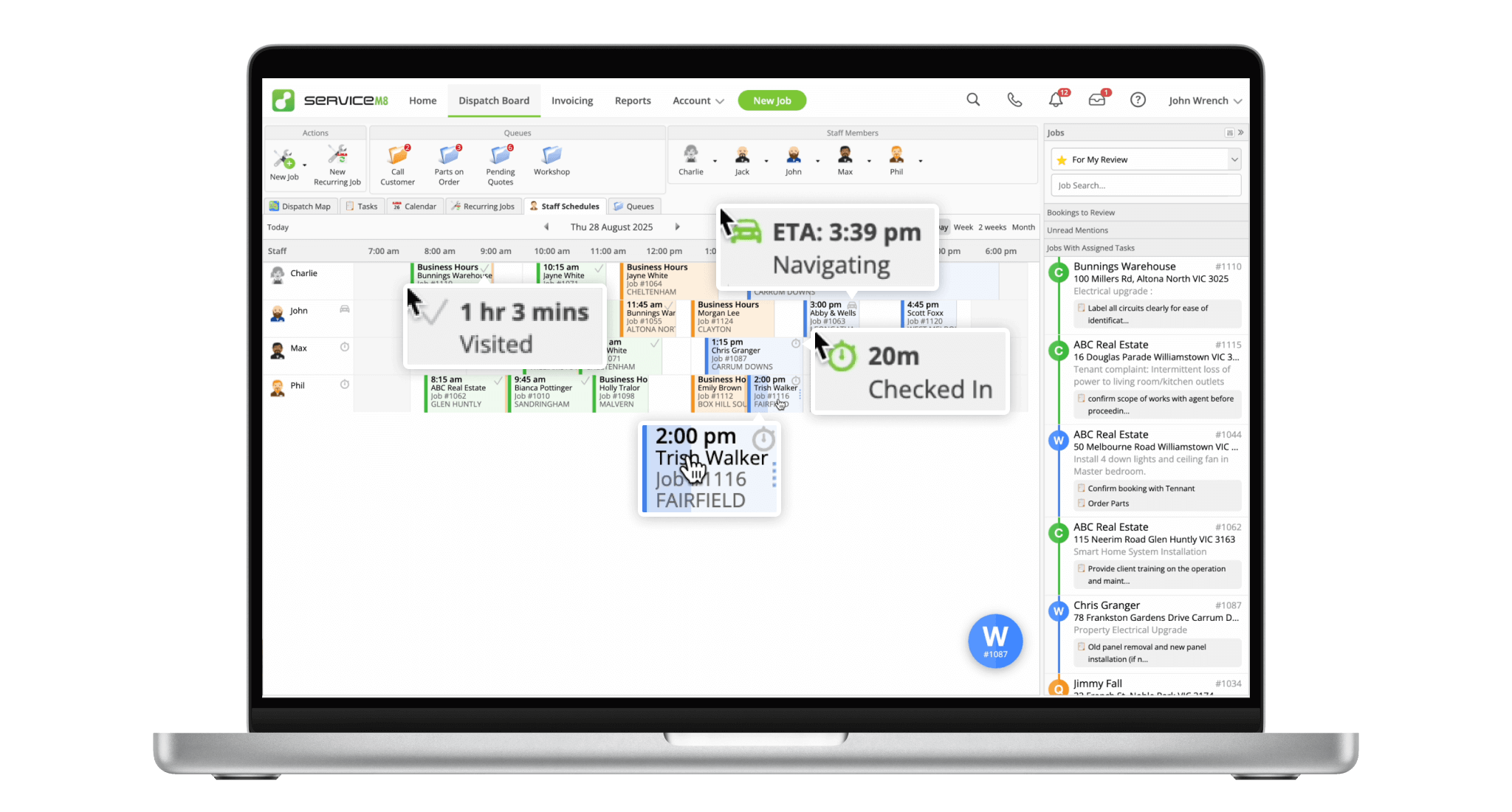
- Increased visibility of what jobs staff are at. You have been able to see who was travelling, and job time, etc in the Dispatch Map… that now shows on the Staff Schedule! Plus, Jobs that have been attended are ticked, and you can see who is in a job (including desktop users).
- Add a Job Template AFTER you have created a Job. You no longer need to know what the job is about before the customer calls! Genius!!
- Copy and Paste Checklists
- See who has added a checklist item, as well as who completed it
- Modify your job photos using “Imagine” – from the desktop only.
- Add in Suppliers so staff can see where they’re closest to.
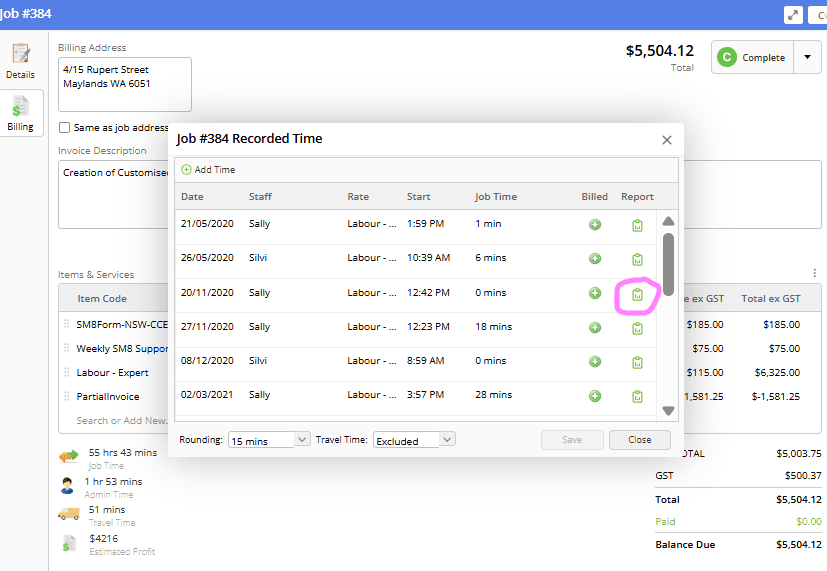
- Improvements to Job Costing and mark up billing – including access to the Checkout report of each check-in… and possibly fixing the issues posed by Partial Invoices!!!
#3 – Enhancements and Other Changes
- Proposals can be saved to PDF by your clients!
- Proposals have Version History!!
- Send Photos and other files via SMS
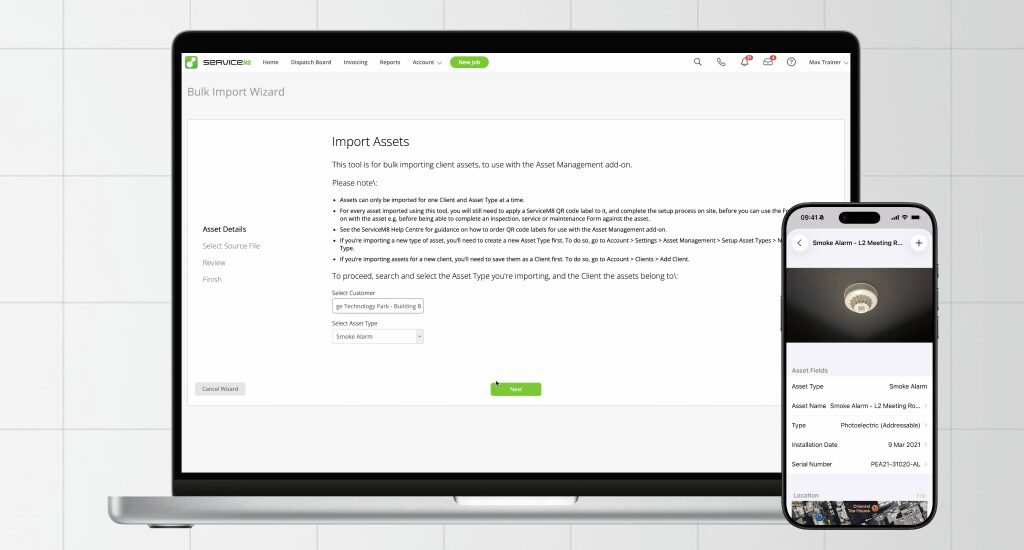
- Upload Assets as a bulk upload
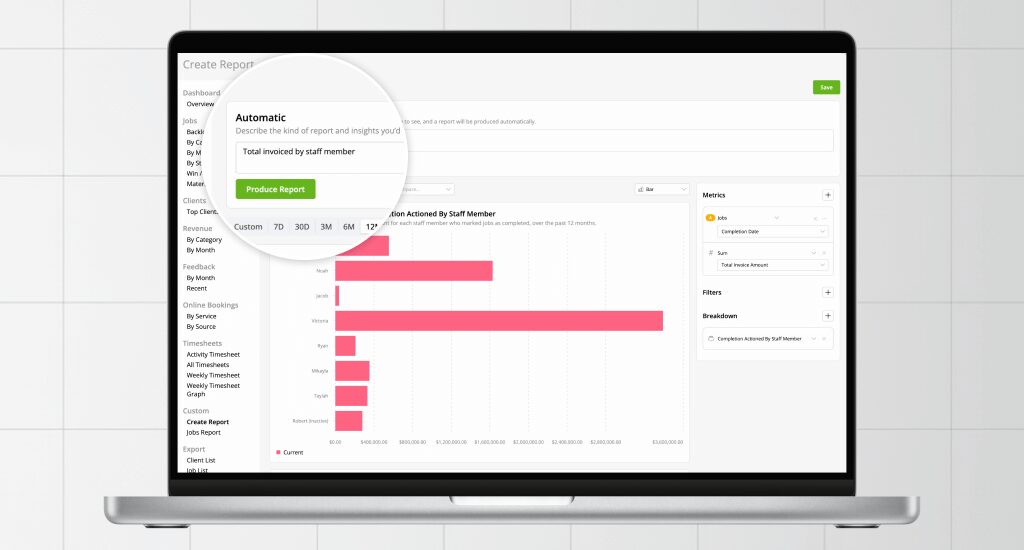
- Custom Reports got an overhaul. It is far better than it was, and you can do more than it looks from the drop down (you’re better using the ChatGPT-esque “Automatic” function than to build your own). You can’t use it with Form Answers, so those using Wink Reports will still likely need Wink Reports.
- SMS Quotes/Invoice not using your default template.
- The “Service” button is no longer hidden!
- When you upload a PDF, it will show it’s name in the diary.
- Markup seems to be more stable. Everything needs to be up to date to work, though.
- Automatically add Public Holidays.
- ServiceM8 Phone got a ton of improvements.
- Knowledge – This is a function that we rarely speak about outside the Sales process. What good was a place to store policies and procedures, if you couldn’t upload a pdf…. well, now you can. There are still some issues, like not having a heap of control over when knowledge articles show on a job.
Some of the things that we’ve found so far that may not be as cool include:
- Update Materials and Pricing (for future jobs) from Job Card
- Anyone using a “Miscellaneous” item or “Materials” item or similar will get frustrated with the frequency of the alert.
- Will mean that Custom Security Roles are more likely to be required.
- Likely to be overridden by your accounting package.
- Increased flexibility with who can see tasks.
- Technicians will now only be able to see Tasks that are assigned to them, anyone wanting their team to have full visibility of their work may require a Custom Security Roles.
- Markup – “Imagine” is only in the Desktop version – not on your app.
- Inbox Messages can be marked as “unread” – I’d rather be able to move them out faster!!
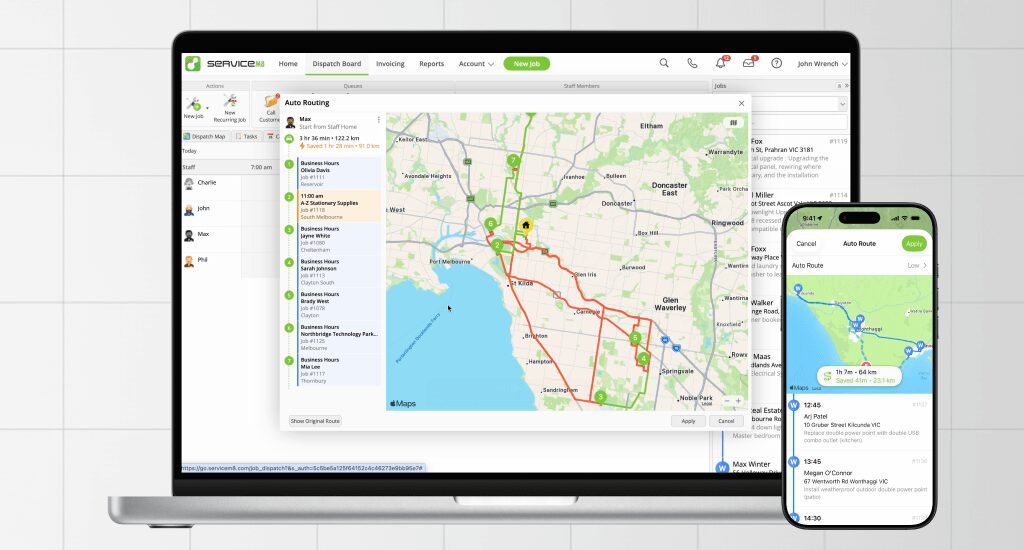
#4 – Things that equal parts excite and scare us
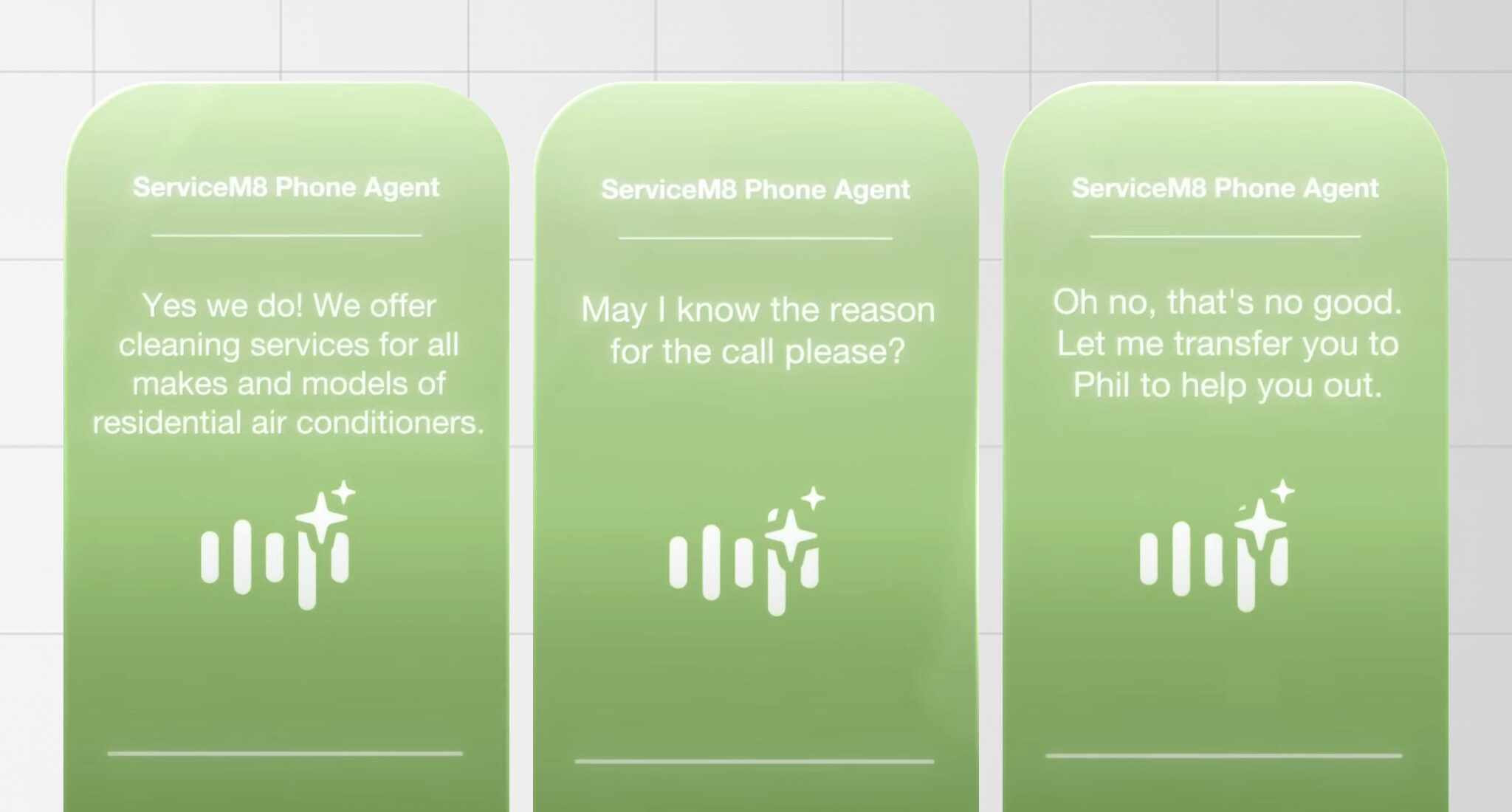
- Phone AI Agent – Have your calls answered by an AI Receptionist. Most of these scare me and genuinely make my tummy turn, but this one seemed a little bit OK.
- Office Agent – Still to be released and at least another month away. Allegedly it can chase quotes, draft replies and “stay in control with notifications and approvals”. We’re excited by this, but until we get our hands dirty, we’re reserving comment.
- N8N – Create actions within (or external to) ServiceM8. This looks crazy powerful and completely opens up your ability to really customise your workflows. Before we get too entrenched in it’s capabilities… it starts at ~$35/month – and we don’t know what Office Agent can do for us…. but it should be able to fill in some pretty awesome gaps!!!